Ship one more video per week, without the burnout
If you're a YouTube creator running a one-person studio, you already know editing is the bottleneck. EditBuddy handles the boring 80% — silence, fillers, captions, B-roll — so you can focus on hooks, story, and the next idea.
What you spend hours on today
Pull up your last long-form edit. Be honest about how much time these took.
Multiply that by 4 videos a month and you're losing a working week to repetitive clicks. EditBuddy compresses that whole pipeline into ~10 minutes of waiting while you make coffee.
Your workflow with EditBuddy
Edit YouTube videos 10x faster with AI
Silence removal, retake cuts, captions, B-roll, and Shorts — all automated inside Premiere Pro. Free trial includes 60 minutes of AI editing.
View Plans & Start Free →The features YouTube creators use most
Silence removal
The single biggest time saver. Cuts 30–50% of your raw runtime in one pass.
Filler word removal
Cuts ums, uhs, you-knows. Keeps the legitimate uses inside sentences.
Auto captions
YouTube's algorithm rewards captioned videos. Get them on V4 in one click — no upload.
Auto B-roll
AI-picked from Pexels & Pixabay with metaphor-first prompts. Variety, not literal stock.
Auto zoom
Punch-ins on emphasis moments. The thing every "edit hack" tutorial does manually.
Long → Shorts
One long-form becomes 5–10 shorts. Hook-scored, 9:16 reframed, captioned. Built for the algorithm.
Shorts come out of the same panel
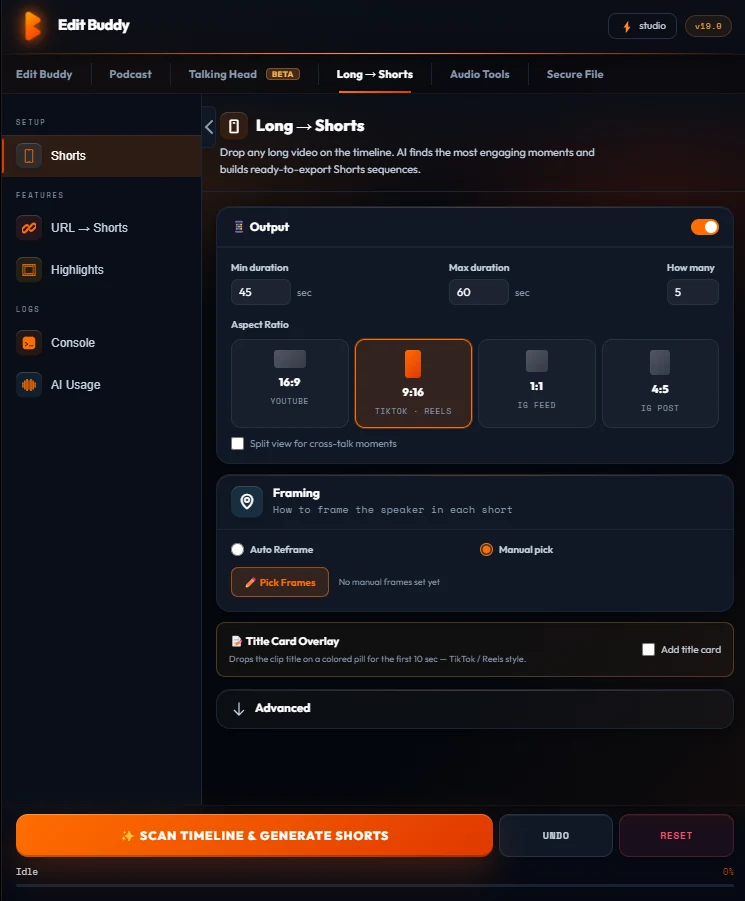
The Shorts tab runs on your finished long-form sequence — no upload, no cloud queue. Every short becomes a real Premiere sequence you can still polish.
- Hook-scored moments picked from your long-form
- 9:16 auto-reframe with the speaker kept in frame
- Captions burned per short from the same transcript
- Editable sequences — trim, recolor, swap captions before export
Get your weekend back
Free — one Auto Edit on a 3-min clip — no card. Installs as a Premiere Pro panel in under a minute.
Install FreeFrequently asked questions
How much time does EditBuddy save per video?
Most YouTube creators report 4–8 hours saved per long-form video. Silence removal alone usually saves 1–2 hours; captions + B-roll add another 2–4.
Does it work for vlogs vs. talking-head?
Both. Silence removal and captions work universally; auto B-roll and zoom are tuned for talking-head content but degrade gracefully on vlogs.
Can I cut shorts from my long video?
Yes. The Long → Shorts pipeline finds viral moments and builds 9:16 sequences with auto-reframe and captions.
Will my color grading and titles survive?
Yes. EditBuddy edits your sequence directly — your color, motion graphics, transitions, and end card all stay intact.
What about my channel branding (intro/outro)?
Place your intro/outro as you normally would. EditBuddy works on the speaker section in between.
Don't want to edit? We do it for you.
EditBuddy's done-for-you service handles the full edit plus Shorts. From $15 per Short or $100 per episode. Upload footage, receive finished videos.