EditBuddy generates word-by-word animated captions for YouTube Shorts in roughly 30 seconds inside Premiere Pro. Captions land on V4 as editable MOGRT layers (no SRT round-trip), pre-positioned for 9:16, and styled to match the TikTok-pace word-pop look that drives 25–35% more retention than full-sentence captions.
Auto captions for YouTube Shorts — word-by-word, in 30 seconds
Hand-typing captions for a 60-second Short takes 20 minutes. EditBuddy generates them in 30 seconds, drops them on V4 as MOGRT layers you can restyle, and pre-positions them for the 9:16 frame.
Why word-by-word captions win on Shorts
The format has a specific viewer behavior. Captions that match it perform measurably better.
Attention reset every 200–400 ms
Each new word pop is a micro-cue that pulls the eye back to the screen. On a platform where the alternative is a swipe-away, that constant pull-back is the difference between 70% retention and 92%. Word-pop captions get 25–35% higher average watch time than full-sentence captions on identical content.
80% of Shorts watched muted
Captions aren't optional — they're the primary content channel. Auto-generated subtitles from YouTube alone aren't styled, aren't synced word-by-word, and don't appear in the first 200 ms. EditBuddy captions show up the same frame the word lands.
Shorts algorithm rewards retention curves
YouTube's Shorts shelf weighs absolute watch time hard. Captions that keep eyes on the screen directly improve your distribution. This isn't a style preference — it's a discoverability lever.
The Shorts-specific MOGRT styles
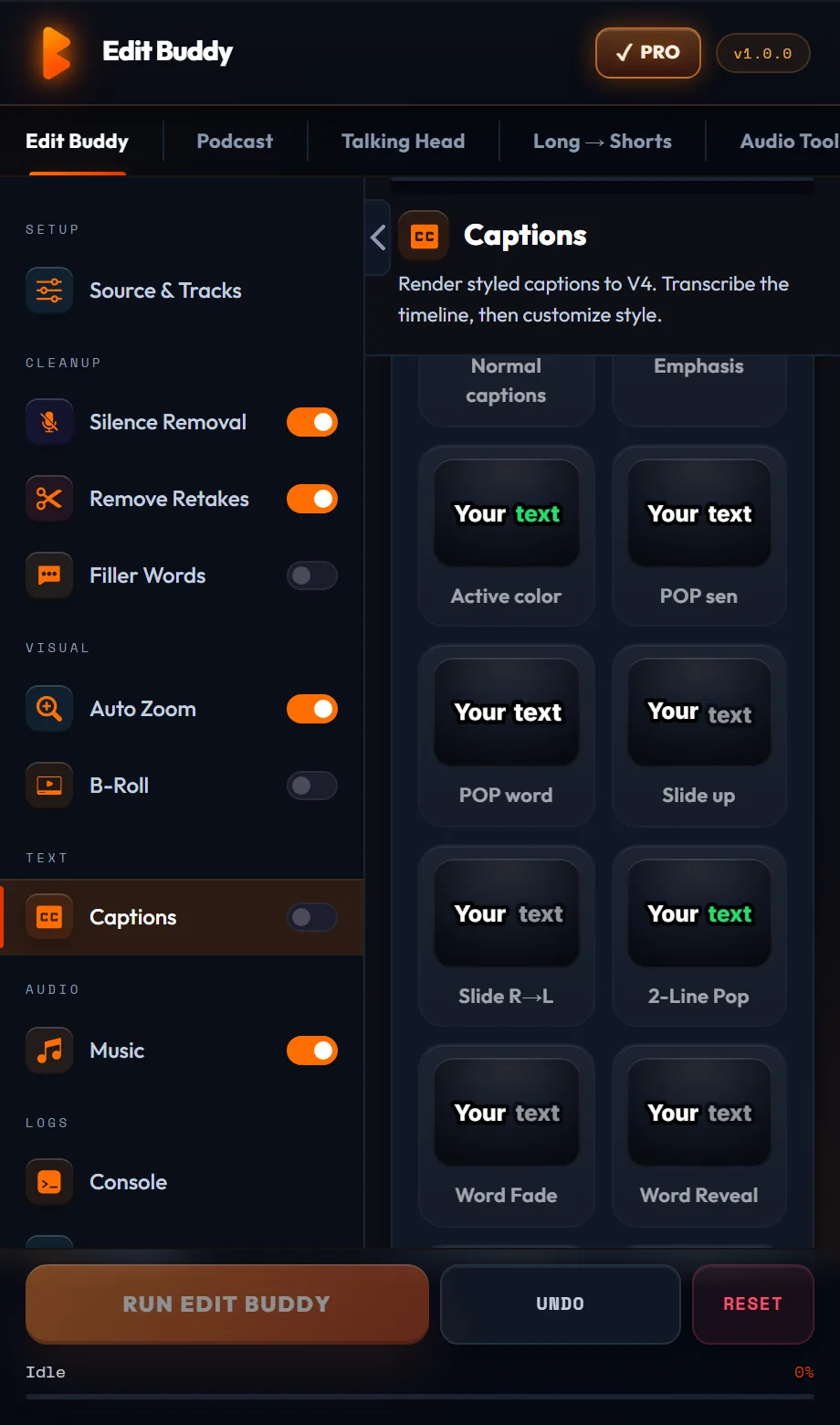
Three caption looks, each tuned for vertical 9:16. Pick once, every Short uses the same style.
Word-pop (default)
Each word appears on its own beat with a subtle scale-up animation. Yellow active-word highlight on white text. The de facto Shorts/TikTok caption style. Lands the same frame the word is spoken.
Karaoke highlight
Whole-phrase visible at once with the current word highlighted. Good for content where you want viewers to read ahead. Slightly less aggressive than word-pop — used by tutorial and educational creators.
Chunked phrase (3-word groups)
Groups of three words pop together for a quicker read. Best for fast-paced delivery where word-by-word feels too jittery. Common in motivational and quote-style Shorts.
Try word-pop captions on your next Short
Install EditBuddy free. First Short captions included. Works inside Premiere Pro on Windows.
Install EditBuddy →Why MOGRT beats SRT for Shorts
SRT files are great for accessibility. MOGRT is great for performance. Shorts need both — and EditBuddy gives you both.
MOGRT layers are editable in Premiere
Every caption clip on V4 opens in Essential Graphics. Change a word, change a color, restyle a single phrase without re-rendering anything. SRT requires re-import every time you fix a typo.
Burns in to final MP4
YouTube Shorts and TikTok prefer burned-in captions over auto-generated CC for the first-impression viewer. MOGRT bakes into the final export — viewers see your captions, not the platform's auto-CC.
Optional SRT export for YouTube CC
If you also want to ship an SRT for accessibility/CC, EditBuddy exports one alongside the MOGRT. Best of both — burned-in for visual, sidecar for accessibility.
Compared to Submagic, Captions, and Opus Clip
Submagic / Captions app
Polished web tools with great preset variety. Downside: you upload your Short, edit captions there, download the finished video, then re-import to Premiere if you need to make other edits. Color grade and audio mix get lost in the round-trip.
Opus Clip
Generates Shorts from long-form including captions. Excellent for batch repurposing. Less control over caption styling than a Premiere-native solution; finished videos come out of Opus pre-baked.
Premiere built-in Captions
Free and built-in but slow (no word-level animation), uses Source Text rather than MOGRT, and the styling options are minimal. Fine for sentence-level captions on long-form. Not competitive for Shorts.
EditBuddy
Native to Premiere, no round-trip, MOGRT-based for full styling control, pre-positioned for 9:16, paired with the rest of the Shorts pipeline (silence, retakes, B-roll) in the same panel.
Stop hand-typing captions for Shorts
EditBuddy generates word-by-word captions in 30 seconds and drops them on V4. Free trial.
Install EditBuddy →Frequently asked questions
Why do word-by-word captions get more retention on Shorts?
Word-pop captions force viewer attention to the screen every 200–400 ms. That's the rhythm Shorts viewers expect — and channels that use them see roughly 25–35% higher watch time vs full-sentence captions on the same content.
Do they burn in or stay as MOGRT layers?
They live as MOGRT layers on V4 (your caption track) until you export. That means you can edit text, change color, or restyle individual words before render. On export they bake in to the final MP4 — no separate caption file needed.
Does it work for 9:16 vertical sequences?
Yes — every preset is positioned for 9:16 by default, with caption text centered horizontally and placed in the lower-middle third where eyes naturally land on mobile.
How accurate is the transcription?
Roughly 95–97% on clean English audio, 92–94% on noisy or accented audio. Every caption clip is fully editable so corrections take seconds.
Can I export an SRT file instead?
Yes. Auto Captions has an SRT export option in addition to the MOGRT placement. Useful when YouTube ingestion or social platform upload needs a sidecar caption file.
Will my style stay consistent across multiple Shorts?
Yes. Pick the style once; it's saved as your default. Every subsequent Short uses the same look automatically. Restyle a single project without affecting your default.
Compared to Submagic or Opus Clip, where does this win?
Submagic and Opus are web-based — you upload, edit there, download a finished video. EditBuddy stays in Premiere so your color grade, transitions, and audio mix are untouched. Faster iteration if you're already editing in Premiere anyway.
Want us to make your Shorts for you?
EditBuddy's done-for-you Shorts service includes captions, cuts, B-roll, and music from $15 per Short. 48-hour delivery.
Hire EditBuddy →