Skip the boring 80%. Own the craft.
You didn't get into editing to ripple-delete silence for two hours. EditBuddy is your AI assistant inside Premiere Pro — it does the rote work so you spend more time on pacing, story, color, sound, and the things clients actually pay for.
The work you'd rather not do
Edit 3x more clients in the same hours
EditBuddy automates the time-consuming parts — silence detection, retake identification, caption timing, B-roll sourcing — so you focus on creative decisions.
View Plans & Start Free →Editor-friendly by design
Lives inside Premiere
Not a replacement editor, not an XML round-trip. A panel that mutates your active sequence directly via ExtendScript.
Backup sequence first
Every destructive edit creates a backup. One-click revert. You're never stuck with what AI did.
Frame-accurate, multi-clip
Maps every cut back to the right source media frame, even on timelines with dozens of clips from different files.
Configurable thresholds
Silence threshold, retake aggressiveness, B-roll frequency, zoom intensity — all tunable. Set defaults you trust.
Doesn't touch your craft layer
Color grading, LUTs, transitions, motion graphics, audio mixing — all stay intact. EditBuddy only touches the cut.
Hybrid AI + rules
Pure-AI tools hallucinate. EditBuddy runs both system + AI passes and only commits cuts where they agree.
One panel, docked next to your timeline
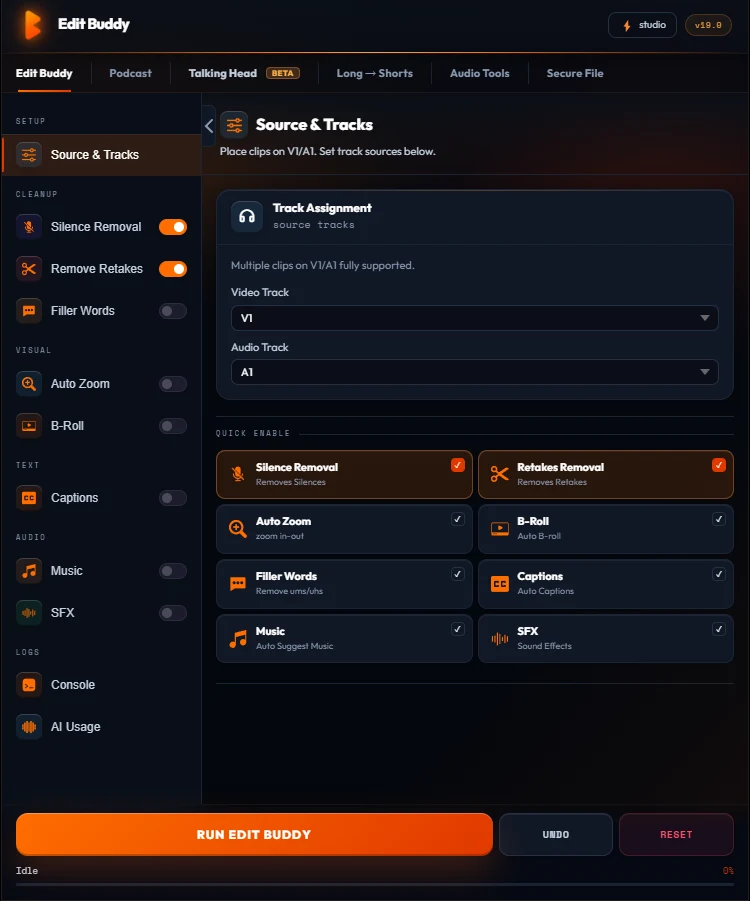
EditBuddy is a CEP panel, not a separate app. It reads the active sequence, makes the cuts, and stays out of your craft layer.
- Edits the active sequence directly — no XML round-trip
- Backup sequence created before any destructive pass
- Thresholds are tunable — silence dB, retake aggressiveness, zoom intensity
- Color, transitions, and motion graphics stay untouched
Make every editor day count
Free — one Auto Edit on a 3-min clip — no card. Installs as a Premiere panel in under a minute.
Install FreeFrequently asked questions
Will EditBuddy replace me?
No. EditBuddy handles the rote 80%. Pacing, story, color, sound design, motion — the things clients actually pay for — stay yours. It's an assistant, not a replacement.
Can I undo what EditBuddy did?
Yes. A backup sequence is created before any destructive edit. Switch back to it in one click — no undo stack required.
Will it interfere with my color grading or LUTs?
No. EditBuddy edits the timeline structure, not your effects. Color, transitions, motion graphics, and audio mixing all stay intact.
Does it work with Adobe's Production Premiere collaboration?
Yes. EditBuddy operates on the active sequence; Production sync handles the cross-editor coordination as normal.
What about Premiere on shared storage / NAS?
Works fine. Audio analysis runs locally on the editor's machine; only minimum extracted data is sent to AI providers for opt-in features.
See how EditBuddy stacks up against other tools
Compare EditBuddy's features and pricing against AutoCut, AutoPod, Descript, and Opus Clip — find out why editors switched.