Stop spending 8 hours editing a 30-minute lesson
Online courses live or die on production speed. The best instructors get blocked by editing — record a beautiful 30-min lesson, then spend a day cleaning it up. EditBuddy compresses that day into 30 minutes of waiting while you record the next module.
What course editing usually looks like
Edit course videos 10x faster in Premiere Pro
Silence removal, filler cuts, and caption generation run automatically on every lesson. First 60 minutes free — no setup, no API keys.
View Plans & Start Free →Why course creators choose EditBuddy
Captions for accessibility
Required by most platforms (and the right thing to do). Word-level timing, exportable as SRT for Teachable, Thinkific, Kajabi, or YouTube.
Restart-take detection
You re-explained that concept three times? EditBuddy keeps the cleanest version automatically.
Auto B-roll for engagement
Visual variety keeps watch-through up. AI-picked metaphor footage at the right moments — no manual sourcing.
Auto zoom on key moments
Punch-ins when you emphasize a concept. The "ooh that looks polished" effect, automated.
Multi-clip aware
Recorded the lesson in 5 takes? Drop them all on the timeline — EditBuddy handles cuts across multiple source files.
Backup before destructive edits
Backup sequence created automatically. If you don't like the cuts, switch back in one click.
Accessibility captions from one click
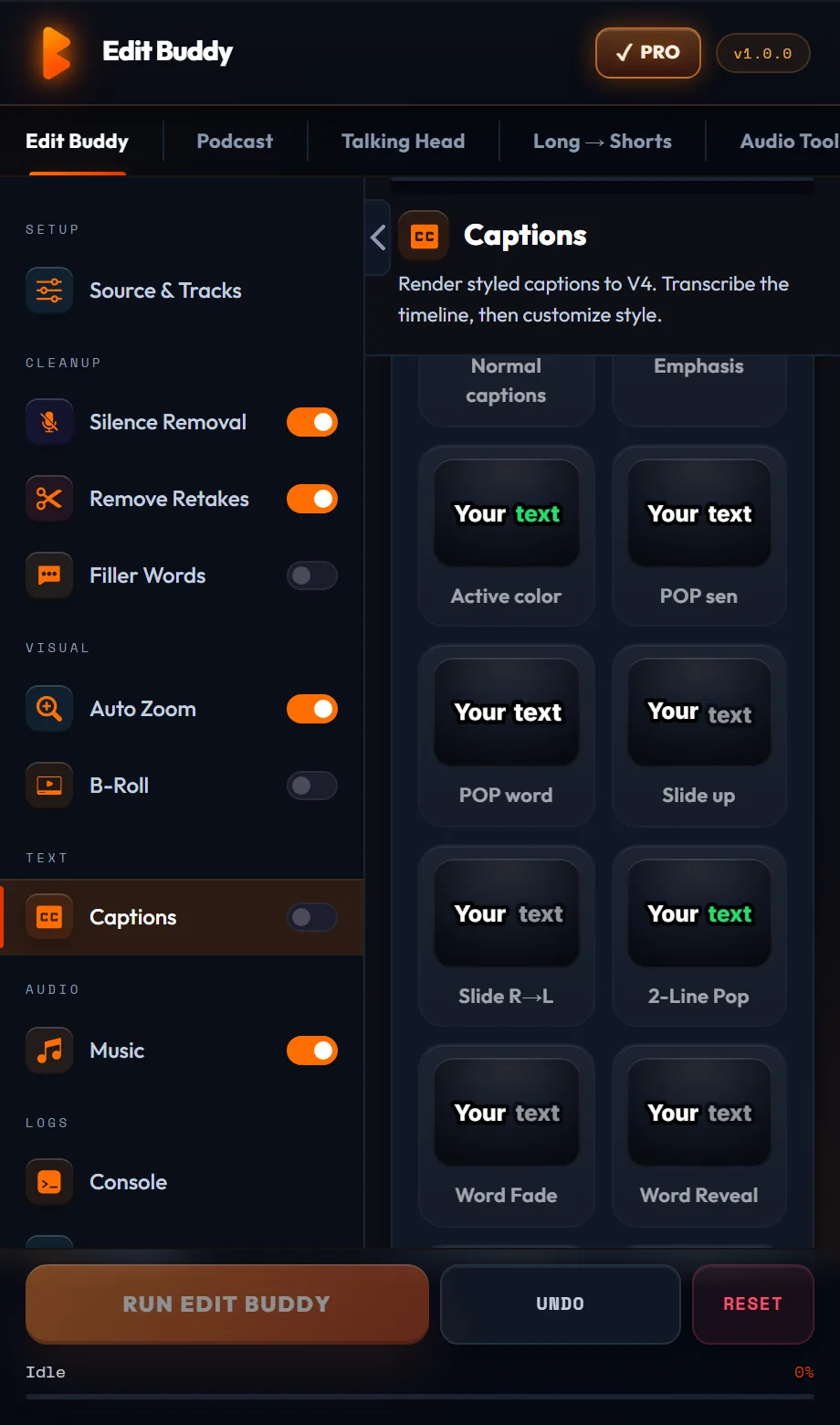
The Captions tab transcribes the lesson and places word-timed captions on V4 — style them once and every module matches.
- Word-level timing generated from the lesson audio
- MOGRT captions on V4 — editable in Essential Graphics
- Sidecar SRT export for Teachable, Thinkific, Kajabi, or YouTube
- Works with screen-share + camera layouts — camera on V1, screen on V2
Build the course faster than you record it
Free — one Auto Edit on a 3-min clip — no card. Installs as a Premiere panel in under a minute.
Install FreeFrequently asked questions
Will captions be accurate enough for accessibility compliance?
EditBuddy uses Whisper which delivers 95%+ accuracy on clean audio. Always proofread captions before publishing — Whisper is great but not perfect with proper nouns and technical jargon.
Can I export captions as SRT?
Yes. Captions go on V4 as MOGRT for the export, and you can also export a sidecar SRT for upload to Teachable, Thinkific, Kajabi, or YouTube.
Does silence removal cut breaths and natural pauses?
You control the threshold. Defaults preserve natural pacing — gaps under 0.5s typically stay. For lectures you can tune slightly more aggressive.
Can I keep my screen-share + camera setup?
Yes. Place your camera on V1, screen share on V2, and EditBuddy works around the layout. Captions go on V4.
What about quizzes / chapter markers?
Add those after EditBuddy finishes — chapter markers work normally in Premiere, EditBuddy doesn't touch them.
Have your course videos edited professionally
EditBuddy's editing service produces clean, captioned, chapter-ready course videos. Upload your lessons, receive polished videos ready for your LMS.